
Anúncios
Listening to AM/FM radio on your cell phone combines the nostalgia of traditional broadcasting with modern mobile convenience, offering instant access to live news, music, sports, and local content wherever you go.


Radio has been a trusted companion for generations, delivering real-time information and entertainment directly to listeners. While streaming services dominate the digital landscape, traditional AM/FM radio maintains a loyal following thanks to its immediacy, local focus, and zero subscription costs. The good news? Your smartphone can transform into a powerful radio receiver, bringing thousands of stations right to your pocket.
Anúncios
Whether you’re commuting, working out, or simply relaxing at home, accessing live radio broadcasts through your mobile device offers flexibility that traditional radios can’t match. Let’s explore how you can tune into your favorite AM/FM stations using nothing more than the phone already in your hand.
📻 Understanding AM/FM Radio on Mobile Devices
Most modern smartphones actually contain built-in FM radio chips, a fact that surprises many users. These chips allow devices to receive FM broadcasts without using data, similar to traditional portable radios. However, manufacturers and carriers often disable this functionality, preferring users to stream content through data-consuming apps instead.
Anúncios
The FM chip capability varies by device manufacturer and model. Some Android phones, particularly from brands like Motorola, LG, and Samsung, include activated FM receivers that work with wired headphones acting as antennas. Apple’s iPhones, on the other hand, have not included functional FM chips in recent models, requiring alternative solutions for radio listening.
Beyond hardware-based reception, internet streaming has revolutionized how we access radio content. Streaming apps can deliver both local and international AM/FM stations through your data connection or Wi-Fi, effectively removing geographical barriers and hardware limitations.
🎧 Methods for Listening to Radio on Your Phone
Native FM Radio Apps
If your smartphone has an enabled FM chip, you may find a pre-installed radio app in your app drawer. These native applications typically require you to plug in wired headphones, which serve as the antenna necessary to receive FM signals. The audio can then play through the headphones, phone speakers, or connected Bluetooth devices.
To check if your device supports native FM radio, look for apps labeled “FM Radio,” “Radio,” or similar names. Connect wired earphones and launch the app to scan for available stations. This method uses no mobile data and works even in areas with poor cellular coverage, making it invaluable during emergencies or when conserving data.
Streaming Radio Applications
Streaming apps represent the most versatile way to access AM/FM radio on smartphones. These applications connect to radio stations broadcasting online, offering access to thousands of channels worldwide regardless of your physical location or device hardware.
Popular streaming radio apps provide intuitive interfaces where you can search by location, genre, language, or station name. Many include features like favorites lists, sleep timers, alarm clock functions, and even podcast integration. The streaming approach works on any smartphone with internet connectivity, making it the universal solution for radio listening.

Station-Specific Apps and Websites
Many radio stations offer their own dedicated apps or mobile-optimized websites. These station-specific solutions typically provide the highest audio quality for that particular broadcaster and may include additional content like news articles, event calendars, and exclusive podcasts.
Major broadcasting networks often bundle multiple stations under one app, allowing easy switching between affiliated channels. While this approach works well for regular listeners of specific stations, it becomes cumbersome if you enjoy variety or travel frequently and want access to stations from different markets.
🌟 Top Features to Look for in Radio Apps
When selecting a radio streaming app for your mobile device, certain features dramatically enhance the listening experience. A comprehensive station database ensures you can find both major networks and niche community broadcasters. The best apps catalog tens of thousands of stations across multiple countries and languages.
User interface design matters significantly for something you’ll use regularly. Look for apps with clean layouts, responsive controls, and easy navigation between stations. Quick search functionality and well-organized category filters help you discover new content without frustration.
Audio quality settings allow you to balance sound fidelity with data consumption. Apps offering multiple streaming quality options let you choose high-definition audio when connected to Wi-Fi and lower bitrates when using mobile data, helping manage your data plan effectively.
Background playback capability means you can listen while using other apps or when your screen is locked. This essential feature enables true multitasking, letting you browse the web, check messages, or use navigation apps without interrupting your audio stream.
📱 Setting Up Radio Listening on Android Devices
Android users generally have the most options for radio listening due to the platform’s diversity and openness. Start by checking if your device includes a native FM radio app. Navigate to your app drawer and search for any pre-installed radio applications. If found, connect wired headphones and launch the app to begin scanning for stations.
For streaming options, visit the Google Play Store and search for radio apps. Read user reviews and check the app’s station database to ensure it includes your preferred channels. Download and install your chosen application, then grant necessary permissions like location access, which helps the app suggest nearby stations.
After installation, open the app and explore the interface. Most radio apps organize content by location, genre, and popularity. You can browse featured stations, search for specific channels by name or frequency, or explore curated lists. Save your favorites for quick access during future listening sessions.
Adjust app settings to optimize your experience. Configure audio quality based on your typical connection type, enable notifications if you want alerts about your favorite shows, and set up a sleep timer if you enjoy falling asleep to radio broadcasts. Many apps also include equalizer settings for personalized sound profiles.
🍎 Listening to Radio on iPhone and iOS Devices
iPhone users rely exclusively on streaming solutions since iOS devices lack functional FM radio chips in current models. The App Store offers numerous high-quality radio streaming applications designed specifically for iOS, with interfaces optimized for iPhone and iPad screens.
Download a reputable radio app from the App Store. Launch the application and allow requested permissions, particularly for notifications and background activity. These permissions ensure the app can continue playing when you switch to other tasks and alert you about favorite programs.
iOS users benefit from tight system integration features. Many radio apps support Control Center playback controls, allowing you to pause, play, and skip without opening the app. Siri integration in select apps lets you use voice commands to launch stations hands-free, perfect for driving or cooking.
CarPlay compatibility extends your radio listening to your vehicle’s dashboard display. If your car supports CarPlay, compatible radio apps will appear automatically when you connect your iPhone, providing a safer, more convenient way to access stations while driving.
💡 Maximizing Your Mobile Radio Experience
Managing Data Consumption
Streaming radio consumes data continuously, which can quickly deplete limited mobile plans. On average, standard-quality radio streaming uses approximately 60-70 MB per hour, while high-quality streams may consume 150 MB hourly. Understanding these numbers helps you plan your listening habits around your data allowance.
Connect to Wi-Fi networks whenever possible to preserve mobile data. Most apps automatically switch between Wi-Fi and cellular connections seamlessly. At home, in the office, or at cafes with public Wi-Fi, you can enjoy unlimited listening without data concerns.
Reduce streaming quality in your app settings when using mobile data. Lower bitrate streams still deliver clear audio for spoken content like news and talk radio while significantly reducing data usage. Save higher quality settings for music stations and Wi-Fi connections.
Improving Audio Quality
Your listening equipment dramatically impacts audio quality. While phone speakers work in a pinch, investing in decent headphones or external speakers transforms the experience. Bluetooth headphones offer wireless convenience, while wired options often deliver superior sound quality without battery concerns.
Explore your radio app’s built-in equalizer if available. Adjusting bass, treble, and mid-range frequencies helps compensate for poor broadcast quality and tailors the sound to your preferences. Different presets work better for speech content versus music programming.
Ensure your app is updated regularly. Developers continually improve streaming efficiency and audio codecs, meaning the latest version typically delivers better sound quality with the same or less data usage compared to older releases.
Discovering New Stations
Most radio apps include discovery features that help you find stations matching your interests. Genre categories range from news and sports to specialized music styles like jazz, classical, or indie rock. Language filters help multilingual users find content in their preferred languages.
Location-based browsing lets you explore stations from specific cities or regions. This feature proves invaluable for expatriates wanting to stay connected with their hometown or travelers curious about local culture and music scenes in distant locations.
User ratings and popularity rankings highlight well-produced stations with strong listener bases. While major commercial stations dominate these lists, digging deeper often reveals hidden gems—community stations, college radio, and independent broadcasters offering unique programming you won’t find elsewhere.
🚗 Radio Apps for Drivers and Commuters
Commuters spend significant time in vehicles, making mobile radio apps perfect companions for daily drives. Unlike traditional car radios limited by geography, smartphone apps maintain consistent station access throughout your journey, automatically switching to internet streaming as you drive beyond broadcast range.
For safety, set up your favorite stations before driving. Create playlists or favorites lists while parked, enabling quick, distraction-free station selection while on the road. Voice control features in premium apps let you change channels using spoken commands without taking your eyes off the road.
Battery management becomes important during long commutes. Streaming and constant screen activity drain batteries quickly, so keep a car charger handy. Most vehicles with USB ports provide sufficient power to maintain charge while simultaneously streaming audio.
Consider apps with traffic and weather update integrations. Some advanced radio applications overlay real-time traffic information and weather alerts onto their interfaces, combining entertainment with practical driving information in one convenient package.
🔒 Privacy and Security Considerations
When downloading radio apps, review the permissions requested. Legitimate radio applications require internet access and possibly location data for suggesting nearby stations. However, be cautious of apps requesting excessive permissions like contact lists, SMS access, or camera usage, which aren’t necessary for radio functionality.
Stick to well-known apps with substantial user bases and positive reviews. Established applications undergo regular security audits and updates, reducing the risk of malware or data harvesting. Check developer information and read privacy policies before installation.
Many free radio apps are ad-supported, displaying banners or occasionally interrupting streams with commercials. These ads typically aren’t problematic, but avoid clicking suspicious advertisements or downloading suggested apps from within radio applications, as these sometimes lead to potentially unwanted programs.
Premium or paid versions of popular radio apps often remove advertisements and may offer additional privacy protections. If you’re concerned about ad tracking or simply want an uninterrupted experience, the modest subscription fees for pro versions represent worthwhile investments.
⚡ Troubleshooting Common Radio App Issues
Buffering and interruptions frustrate listeners but usually stem from connection issues rather than app problems. If your stream constantly buffers, check your internet speed. Radio streaming requires stable connections with minimum speeds of 128 kbps for basic quality. Switching from 3G to 4G/LTE or moving closer to your Wi-Fi router often resolves buffering.
Apps crashing or freezing typically indicate software conflicts or insufficient device resources. Clear your app cache through your phone’s settings, which removes temporary files that sometimes cause instability. If problems persist, uninstall and reinstall the application, ensuring you’re downloading the latest version compatible with your operating system.
Station unavailability happens occasionally when broadcasters change streaming servers or experience technical difficulties. If a specific station won’t play while others work fine, the issue likely resides with the broadcaster rather than your app. Try again later or contact the station directly through their website or social media.
Audio quality problems may result from low bandwidth or app settings. Increase the streaming quality in your app preferences if you’re experiencing tinny or distorted sound. Conversely, if you have limited bandwidth, reducing quality prevents constant rebuffering at the cost of slightly lower fidelity.
🌍 Accessing International Radio Content
One of mobile radio’s greatest advantages is borderless access to international broadcasts. Whether you’re learning a new language, staying connected with your cultural heritage, or simply exploring global music scenes, radio apps provide windows into worldwide media landscapes.
Language learning enthusiasts use international radio stations as immersive practice tools. Listening to news, talk shows, and music in your target language improves comprehension, familiarizes you with natural speech patterns, and introduces colloquial expressions rarely found in textbooks.
Expatriates and immigrants maintain connections with home countries through radio apps. Hearing familiar voices, music, and news from your homeland combats homesickness and keeps you informed about events affecting friends and family thousands of miles away.
Music explorers discover genres and artists before they reach mainstream awareness in their countries. From Brazilian samba and Nigerian Afrobeats to Korean indie rock and French electronic music, international radio stations showcase diverse sounds rarely heard on domestic commercial stations.
🎵 The Future of Radio in the Mobile Age
Radio continues evolving alongside technology, with mobile devices driving much of this transformation. Hybrid radio systems combining traditional broadcast with internet connectivity deliver enhanced experiences, including song information displays, album artwork, and interactive features impossible with analog-only systems.
Artificial intelligence increasingly influences radio app functionality. Smart recommendations analyze your listening habits to suggest stations matching your preferences. Some advanced apps create personalized “stations” mixing content from multiple sources based on your demonstrated interests.
5G networks promise to eliminate buffering entirely while enabling higher audio quality streams with imperceptible latency. As 5G coverage expands globally, mobile radio streaming will approach the instant-on experience of traditional broadcasts while maintaining internet radio’s vast selection and flexibility.
Integration with smart home ecosystems allows seamless transitions between devices. Start listening on your phone during your commute, then have the same station automatically continue on your smart speaker when you arrive home, maintaining continuity across your entire day.
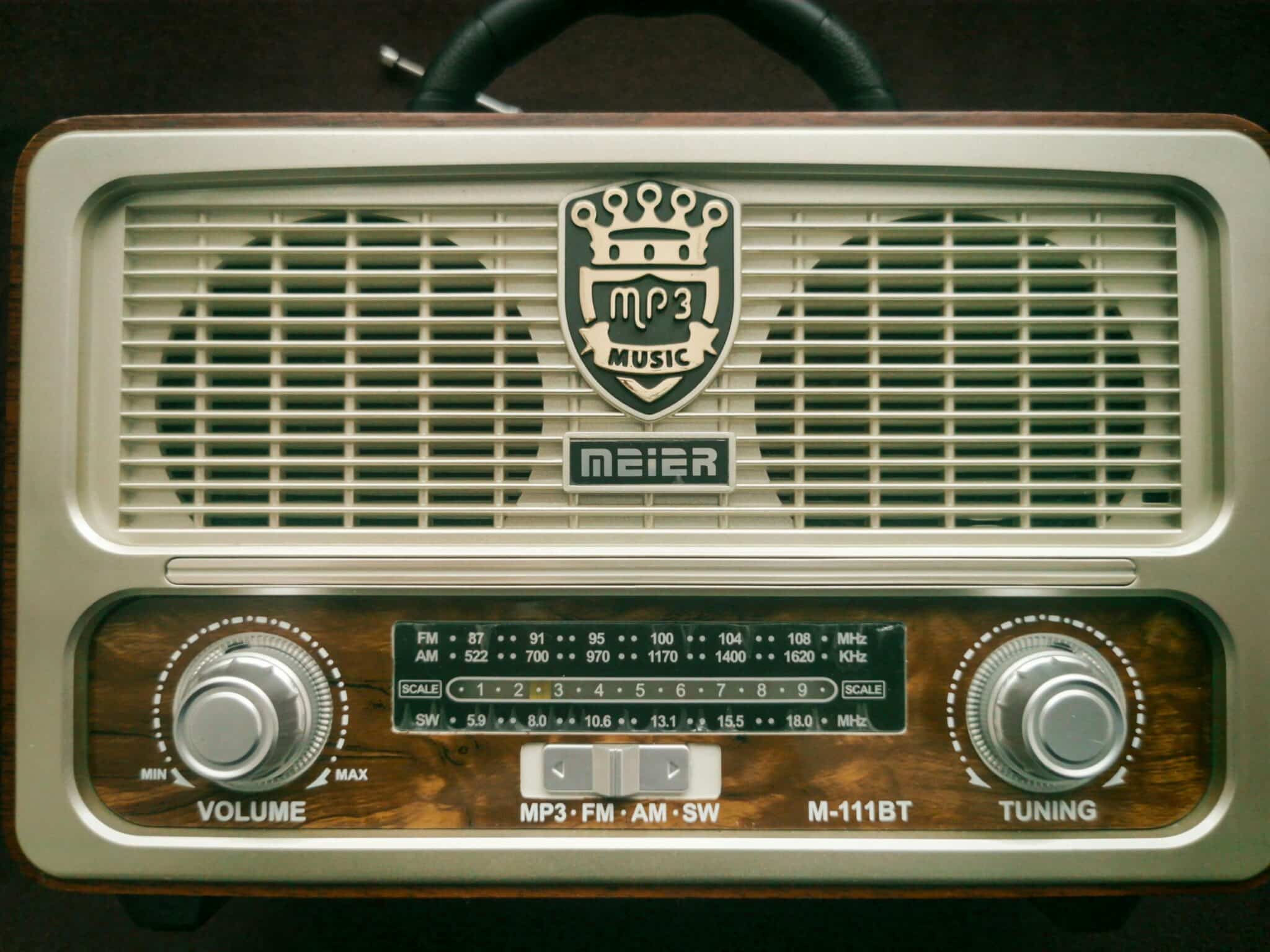
🎯 Making the Most of Your Mobile Radio Journey
Listening to AM/FM radio on your cell phone merges the best aspects of traditional broadcasting with modern convenience. Whether you prefer local news, talk radio, specialized music genres, or international content, your smartphone provides instant access to an virtually unlimited audio universe.
Experiment with different apps to find the one matching your needs and preferences. While all radio apps serve the same basic function, variations in interface design, station databases, and additional features make certain options better suited to specific users. Don’t hesitate to try several before settling on your favorite.
Remember that mobile radio listening offers advantages beyond entertainment. During emergencies, radio provides reliable information when other communication systems fail. Local stations deliver community-specific updates, while national networks broadcast crucial alerts and instructions. Having a radio app installed ensures you’re never completely disconnected from vital information.
Embrace the discovery aspect of radio listening. Unlike algorithm-driven streaming services that keep you in comfortable bubbles of familiar content, radio introduces unexpected songs, topics, and perspectives. This element of surprise and human curation remains radio’s enduring appeal in an increasingly automated media landscape.
Your mobile device transforms into a powerful radio receiver with the right app installed, delivering thousands of stations from around the globe directly to your ears. Take advantage of this remarkable technology to stay informed, entertained, and connected wherever your day takes you. The world of AM/FM radio awaits in your pocket—tune in and explore! 📻✨
